
Pinterest is a powerful yet highly underrated platform when it comes to generating traffic for bloggers and businesses alike.
While often associated with recipe articles, DIY how-tos, and travel blogs, Pinterest covers a wide range of topics and is a significant driver of organic traffic across many industries.
1. Get Started with the Basics
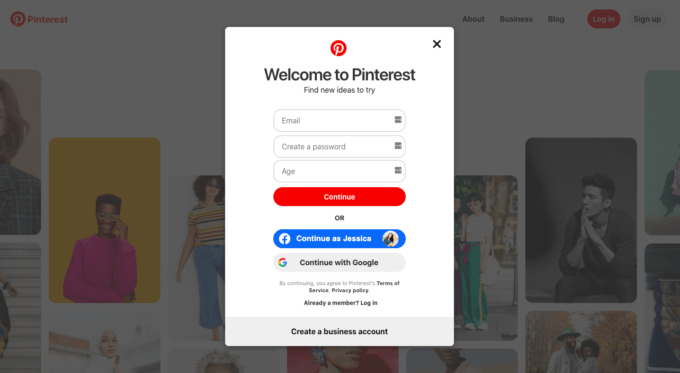
Before we hop into the more exciting aspects of Pinterest SEO, first, some housekeeping.
You’ll need to ensure the following aspects are in place before you can start pinning:
Create a Business Account
(If you already have a personal account, you can simply convert your personal account into a business account.)
This will give you access to Pinterest Analytics and the Pinterest Ads Manager.
Choose an SEO-Friendly Username
Your username will be included in your profile’s URL, so it’s worth considering what your audience might be searching for
Optimize Your Profile
Fill in the “about you” section with relevant details and include a high-resolution company logo.
This will make it easier for people to locate and save your Pins.
You will also want to optimize this section with relevant keywords (more on this later).
Create at Least One Board
To get started, you will need at least one “board.”
Consider the type of content you plan on posting when deciding what you want to name your board (for example: “Marketing Hacks” or “DIY SEO”).
2. Prepare Your Website
As with many other platforms, you can take data from your website to feed more targeted Pinterest campaigns.
You can also send people through to your website, so it’s essential to link these two assets together.
This requires a few simple but fundamental steps.
Get all of these in place if you want to report accurately on your Pinterest SEO efforts.
Add the Pinterest Tag
The Pinterest tag is a fundamental part of setting up an organic or paid campaign.
Essentially Pinterest’s equivalent of the Facebook pixel, this small piece of JavaScript will allow you to:
Set up conversion events on your website.
Segment your audience.
Report reliably on your profile’s performance.
Add the Save Button
This one requires just a short piece of HTML code and will allow you to increase the reach of your campaigns beyond Pinterest.
Once installed, users can save images on your site or app to their boards.
There are two options: The button can appear automatically or when users hover over the top-left section of an image.
3. Set Traffic & Conversion Goals for Your Business
Keep in mind that lead times on Pinterest can be much longer than you’re used to on Google or Facebook.
However, Pinterest still proves itself to be an effective lead generation tool.
In order to see success on this platform, you first need to determine what Pinterest means for your business and set appropriate goals.
How does Pinterest fit into your wider marketing strategy?
Does your target audience actively use Pinterest to find content like yours?
Once you’ve determined that Pinterest is the place for you, you can use the Pinterest tag to set up a wide variety of conversion events on your site.
4. Conduct Keyword Research
While you may not be able to use your usual keyword research tools when it comes to Pinterest SEO, there is still a lot of validity in carrying out keyword research on Pinterest.
As a search engine, Pinterest curates their “feed” based on what a user is searching for and how those key terms are used in the Pins being shared by content creators.
These tips should help you uncover the right keywords for your Pins and boards.
Use Guided Search
Guided search on Pinterest helps users narrow their focus and find more relevant results.
After searching for your target term, Pinterest automatically suggests semantically related modifiers.
These are a pretty good indicator of the most popular search queries for each topic.
Test out Promoted Pins
The idea here is similar to how SEO professionals use AdWords to trial certain keywords to see how they perform before launching an entire SEO campaign.
Here, you can take your best-performing keywords on Google and use Promoted Pins to see if they’ll succeed on Pinterest.
Explore Niche Topics
Fortunately, Pinterest already categorizes and sub-categorizes topics to make it easy to find keywords for your particular niche.
Your goal should be to explore all topics relevant to your business to see how ideas are categorized, as well as how your competitors are targeting specific keywords
5. Organize & Optimize Boards
Your keyword and consumer research for Pinterest should be a core consideration when you start to create boards
Boards provide a great opportunity to tell Pinterest’s search engine how you categorize your products and/or organize your content, which will only aid visibility.
They are also the first thing users will see when they come to your profile, so you’ll want to make your board titles super clear and your images particularly eye-catching.
6. Know the Anatomy of a Pin
Creating the perfect Pin takes finesse and a keen eye for what’s trending on the platform and in your industry as a whole.
In fact, I see Pin structure, fonts, sizes, wording, and images change all the time, you’ll need to stay on top of your game.
That said, there are still some clear rules of thumb that we should all follow when it comes to creating SEO-friendly Pins.
7. Be Descriptive
As with your titles, it’s important to get descriptions right for SEO on Pinterest.
Including detailed descriptions (ideally with your target keywords), helps Pinterest locate and show your images in relevant searches.
Your description gives users a preview of what your content is about and could be the deciding factor in encouraging them to click through to your site.
Tell your audience how the content will benefit them, what they will learn, or, if you’re posting a product, an interesting fact that sets your product apart from your competitors.
A couple of sentences of around 100 characters in total is sufficient to provide some good detail.
 Azmair
Leave a comment